
The Complete 2026 Guide To Choosing An IPTV Box
An IPTV box is one of the most searched terms among UK viewers looking to build a proper streaming setup rather than relying on a phone or an ageing Smart TV app. This guide covers everything worth knowing: what an IPTV box actually is, the different types available, how to choose one, and how to get it set up correctly.
Before diving in, it's worth grounding this guide in independent, non-commercial sources rather than marketing copy alone. If you're comparing hardware and subscriptions together, Ofcom's guidance on UK broadcasting regulation is a genuinely useful starting point, and Citizens Advice's tips on vetting online subscription services covers how to spot red flags before you pay for anything. Later in this guide, when we talk about Wi-Fi and connection stability, Google's official public DNS documentation explains how to improve your setup.
With those references in mind, here's everything worth knowing about choosing the right IPTV box.
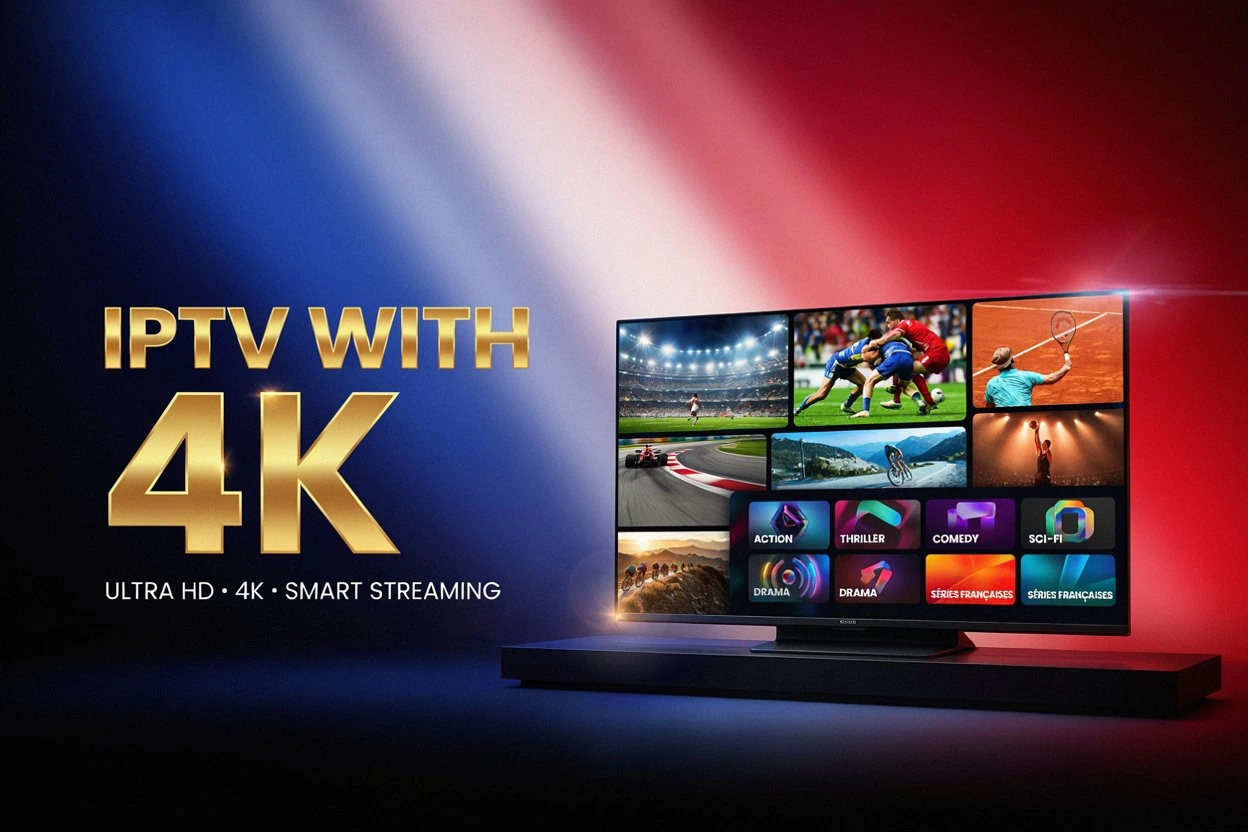
Dedicated Hardware
More RAM, storage and cooling than a streaming stick.
Wide App Support
Runs IPTV Smarters Pro, TiviMate, VLC and more.
Full Remote
A proper remote built for the job, not just a phone app.
Buyer's Guide
Specs, pricing and setup covered end to end.
What Exactly Does An IPTV Box Do?
An IPTV box is a small piece of dedicated hardware that connects to your television and runs a player app, letting you stream live channels and on-demand content over your internet connection. Unlike a Smart TV's built-in apps, or a phone casting to the screen, a dedicated IPTV box runs its own operating system — usually Android — giving it more processing power and storage than most TVs have built in.
- Most boxes run Android TV or a similar Android-based operating system, letting you install player apps like IPTV Smarters Pro or TiviMate directly.
- A box connects to your TV via HDMI and to your network via Wi-Fi or a wired Ethernet port, depending on the model.
- Unlike a streaming stick, a proper IPTV box usually has more RAM, more storage, and better cooling, which matters for smoother playback over time.
Exploring The Different Types Of IPTV Box
Not every IPTV box on the market is built the same way, and understanding the differences helps you buy the right one for your needs.
- Android TV boxes: the most common type, running a full Android interface with access to the Google Play Store as well as sideloaded apps.
- MAG boxes: older, more limited hardware historically associated with certain IPTV providers, now largely superseded by Android boxes.
- Enigma2 boxes: Linux-based boxes popular with satellite/IPTV hybrid setups, offering more advanced technical configuration.
- Hybrid boxes: devices that combine a traditional TV tuner with IPTV streaming capability in a single unit.
Why A Dedicated IPTV Box Often Beats A Stick Or Phone
Choosing a dedicated IPTV box over a cheaper streaming stick or simply casting from your phone has some real practical advantages.
- More processing power: a proper IPTV box handles demanding apps and higher-resolution streams more smoothly than budget sticks.
- More storage: extra internal storage means more room for apps, EPG data, and cached content.
- Better cooling: dedicated hardware with better ventilation tends to suffer less performance throttling during long viewing sessions.
- A remote built for the job: most boxes ship with a full remote rather than relying entirely on a phone app.
Key Specs Worth Checking Before You Buy An IPTV Box
Not every IPTV box is built to the same standard, so it's worth checking a few specifications before buying.
- RAM: at least 2GB is a reasonable minimum; 4GB or more gives noticeably smoother multitasking.
- Storage: 16GB or more leaves room for several player apps and their cached data.
- Processor: a quad-core chip handles most modern player apps comfortably; older dual-core chips can struggle with 4K content.
- Wi-Fi standard: dual-band Wi-Fi (2.4GHz and 5GHz) tends to give a more stable connection than single-band hardware.
- 4K and HDR support: worth checking explicitly if you plan to stream higher-resolution content.
How To Set Up A New IPTV Box
Setting up a new IPTV box is usually straightforward, even for a first-time buyer.
Unboxing And Connecting Your New IPTV Box To The TV
Connect the box to a spare HDMI port on your television, plug in the power adapter, and turn both devices on.
Installing A Player App On Your IPTV Box
Once the box has connected to your Wi-Fi, install a player app such as IPTV Smarters Pro, TiviMate, or VLC from the app store or by sideloading the APK.
Entering Your Playlist Details Into The IPTV Box
Enter the M3U link or Xtream Codes details provided by your subscription, then save the configuration and wait for the channel list to load.
Need A Subscription For Your New Box?
Check current plans, pricing and availability directly on the official website.
Visit xtreme-hd.ukIs It Legal To Own An IPTV Box In The UK?
Legality is one of the most frequently misunderstood aspects of owning an IPTV box, and the honest answer is that the hardware itself and the content streamed on it are two separate questions.
- Simply owning an IPTV box is not illegal — it's a piece of hardware, no different legally to a games console or a media player.
- The legal question centres on the content being streamed through it, specifically whether that content has proper broadcasting rights.
- Consulting independent sources, like the regulatory guidance mentioned earlier, helps clarify the distinction before assuming any given setup is above board.
How Much Should You Spend On A Decent IPTV Box?
Pricing for a good IPTV box varies quite a bit depending on the specification and brand.
- Budget boxes typically cost less but often come with weaker processors and less RAM, which can affect long-term performance.
- Mid-range boxes tend to offer the best balance of price and performance for most households.
- Premium boxes usually include better cooling, faster processors, and official Android TV certification, at a higher price point.
Common Problems With An IPTV Box And Simple Fixes
Reliability issues are consistently among the most-discussed topics around owning an IPTV box.
- Overheating during long sessions: cheaper boxes without proper ventilation can throttle performance after extended use; a small external fan or better placement often helps.
- Wi-Fi drops: older boxes with single-band Wi-Fi are more prone to interference; switching to 5GHz or a wired connection usually improves stability.
- General lag or buffering: often linked to insufficient RAM for the apps installed, or too many background processes running at once.
Weighing The Advantages And Disadvantages Of An IPTV Box
An IPTV box has real strengths, but also a few trade-offs worth considering before buying one.
- Pros: dedicated hardware, better performance than budget sticks, a proper remote, and support for sideloading apps outside the official store.
- Cons: upfront cost, another remote and device to manage, and the need to keep firmware updated for security.
- Comparing a few models side by side before buying helps avoid ending up with underpowered hardware.
Comparing An IPTV Box, A Firestick, And A Smart TV App
An IPTV box, a Firestick, and a Smart TV's built-in app all achieve a broadly similar result, but the experience differs quite a bit.
| Feature | IPTV Box | Firestick | Smart TV App |
|---|---|---|---|
| Processing power | Generally strongest | Moderate | Depends on TV age |
| Storage | Usually more generous | Limited | Very limited |
| Sideloading apps | Straightforward | Possible with extra steps | Often restricted |
| Upfront cost | Higher | Lower | Included with TV |
| Remote | Dedicated remote included | Included | TV remote |
Frequently Asked Questions About Choosing An IPTV Box
What Is An IPTV Box Actually Used For?
An IPTV box is used to stream live channels and on-demand content by running a player app connected to an IPTV subscription's M3U or Xtream Codes login.
Is It Legal To Own An IPTV Box In The UK?
Yes, owning the hardware itself is legal — the legality question depends entirely on whether the content streamed through it has proper broadcasting rights.
Which Type Of IPTV Box Should I Buy?
For most households, a mid-range Android TV box with at least 4GB of RAM and dual-band Wi-Fi offers the best balance of price and performance.
How Much Should I Spend On A Good IPTV Box?
Mid-range pricing typically offers the best value; extremely cheap boxes often come with weaker processors that struggle over time.
Can I Use An IPTV Box Without A Subscription?
The box itself is just hardware — you'll still need a separate IPTV subscription or another streaming service to actually watch content on it.
Do I Need A VPN With An IPTV Box?
A VPN isn't strictly required, though some users choose one for added privacy on their home network.
What's The Difference Between An IPTV Box And A Firestick?
A dedicated box generally offers more processing power, storage, and easier sideloading than a compact streaming stick like a Firestick.
Avoiding Common Frustrations With A New IPTV Box
A new IPTV box tends to run smoothly when you follow a few simple habits from the start.
- Check your internet connection before assuming any issue lies with the box or the app.
- Restart the box and your router if content freezes or takes too long to load.
- Update your player apps regularly, since outdated versions can cause connection errors.
Tips For Getting The Most Out Of Your IPTV Box
A little bit of network housekeeping goes a long way with any IPTV box.
- Use a wired Ethernet connection whenever possible, rather than relying solely on Wi-Fi.
- Avoid installing too many background apps that compete for RAM and processing power.
- Keep your box's firmware updated to reduce long-term connectivity and security issues.
What Independent Buyers Are Saying About Their IPTV Box
The most reliable opinions on any IPTV box tend to come from independent forums rather than a retailer's own product page. Before buying, it's worth checking discussions from other users rather than relying solely on marketing descriptions. Specialised forums and streaming communities tend to offer a more balanced perspective on real-world performance, longevity, and which models are worth avoiding.
It's also worth keeping in mind that experience can vary depending on which apps you install and how you use the device, so a single review doesn't always reflect how a box will perform for your specific setup. Comparing several sources before making a decision tends to be the more prudent approach.
Understanding Your Home Network Before Buying An IPTV Box
Before judging the performance of any IPTV box, it helps to understand a little about how your own home connection works, since a meaningful part of the streaming experience depends on factors that have nothing to do with the box itself. The download speed advertised by your internet provider doesn't always match the real speed reaching your router, especially during peak hours when many neighbours are online simultaneously. Free speed-testing tools let you check in seconds whether your connection is performing as expected.
It's also worth remembering that Wi-Fi signal quality drops the farther a device is from the router, and thick walls or nearby appliances can interfere with the signal. If you notice frequent buffering, moving the box closer to the router, or switching to a wired connection, often makes a noticeable difference in stream stability, particularly during high-demand sporting events.
Another commonly overlooked factor is keeping both your router's firmware and the box's own operating system up to date. Updates don't just add new features — they also fix stability bugs and improve compatibility with newer stream formats. Scheduling a periodic check for updates, even just once a month, helps avoid unnecessary frustration when watching your favourite channels.
How To Compare IPTV Box Models With Confidence Before Buying
Reading about any single IPTV box in isolation rarely tells the whole story. When comparing different models on the market, it helps to weigh several factors at once rather than deciding on price alone. Build quality, how often the manufacturer releases firmware updates, community support, and reputation among other buyers are, together, better indicators of long-term satisfaction than an attractive headline price.
Reading reviews from multiple independent sources, rather than relying on a single opinion, helps form a more balanced picture. It's common to find widely differing ratings for the same model, and comparing them helps spot real patterns rather than isolated cases. Paying attention to recent comments matters especially, since firmware support for a given model can change over time as manufacturers shift focus to newer hardware.
Finally, it's worth keeping in mind that no piece of hardware is completely free of occasional issues, so how responsive a manufacturer or community is when something goes wrong often says just as much as the raw spec sheet. Good firmware support can turn an ageing box into a device that still performs well years after purchase.
Setting Realistic Expectations Before You Buy An IPTV Box
Anyone buying their first IPTV box benefits from setting realistic expectations from the outset. Even a well-specified box can't guarantee a flawless experience one hundred percent of the time, since several external factors — like your own internet connection and the specific IPTV subscription being used — influence the quality actually perceived.
Casual viewers who mainly want news or general entertainment will likely find that a mid-range box covers their needs perfectly well, with the occasional minor hiccup rather than a major problem. Viewers who want dependable 4K playback or very demanding apps, on the other hand, tend to notice the limits of a budget box more quickly, particularly during high-demand periods.
It's also worth testing a new box over a few days rather than judging it after a single viewing session. Performance can fluctuate depending on which apps are installed, how many are running in the background, and even the specific content being streamed, so a broader test period gives a much more accurate picture than a single evening's impression.
It's also sensible to keep notes on which apps and settings have worked well over time, rather than relying on memory alone. A short log of what worked, what didn't, and roughly when a particular issue occurred can save considerable time down the road, especially for anyone who experiments with multiple player apps regularly.
Router and network configuration also play a bigger role than many people initially assume. A box connected over an ageing router, or one shared by many other gadgets in the home, is more likely to experience the kind of intermittent slowdowns that get blamed on the hardware when the actual bottleneck is closer to home. Periodically restarting network hardware, checking for firmware updates, and confirming that no single device is hogging bandwidth are all small habits that add up to a noticeably smoother experience over time.
Time of day can also influence results more than people expect. Home networks often see uneven traffic throughout the day, and testing a box only during peak evening hours can create an overly pessimistic impression of its overall performance. Trying it at a quieter time, such as a weekday morning, sometimes reveals noticeably better results and helps separate a genuinely underpowered box from one that's simply competing for bandwidth at certain times.
Finally, patience during the first few minutes after a factory reset or a fresh app install tends to pay off. Some player apps take a little longer to fully populate a large channel list, and judging a box as broken before it's finished loading is a common and easily avoidable mistake. Giving a fresh setup a reasonable amount of time before drawing conclusions usually leads to a more accurate assessment overall.
Warranty And Long-Term Support Considerations For An IPTV Box
Checking warranty terms before buying any IPTV box is worth the few extra minutes it takes. Some manufacturers offer a full year of hardware cover, while others limit support to a much shorter window, which matters if a unit develops a fault after only a few months of normal use. Reading the fine print on what exactly is covered, and whether return shipping costs fall on the buyer, avoids unpleasant surprises later.
Registering a new device with the manufacturer, where that option exists, can also make warranty claims considerably smoother if something does go wrong. Keeping the original packaging and proof of purchase for at least the length of the warranty period is a simple habit that pays off if a claim ever becomes necessary.
Long-term firmware support is arguably just as important as the initial warranty. A box that stops receiving security and compatibility updates within a year or two of purchase will eventually struggle to run newer player apps, regardless of how capable the hardware originally was. Checking a manufacturer's track record for ongoing updates, rather than just the specs sheet at launch, gives a much better sense of how long a purchase will remain genuinely useful.
Community forums dedicated to specific hardware brands are often a better early-warning system than official channels for spotting which models are being properly supported and which have quietly been abandoned. A quick search before buying can save considerable frustration a year or two down the line.
Final Thoughts On Choosing The Right IPTV Box
Choosing the right IPTV box comes down to balancing specification, budget, and how you actually plan to use it — casual news-watching has very different requirements to demanding 4K sports streaming. A mid-range Android box with decent RAM, dual-band Wi-Fi, and a manufacturer with a track record of firmware updates will comfortably cover most households.
If you'd like to explore a well-established IPTV subscription to pair with your new hardware, visit xtreme-hd.uk for more details on current plans. Whichever box you choose, always verify the source of any subscription before entering payment information.